How to play Aviator in 1win, from the first bet to Cash Out
Aviator has one rule: cash out before the plane flies away. Here is every step of a round on 1win, what each button does and the mistakes new players make in their first sessions.
Updated · 18+
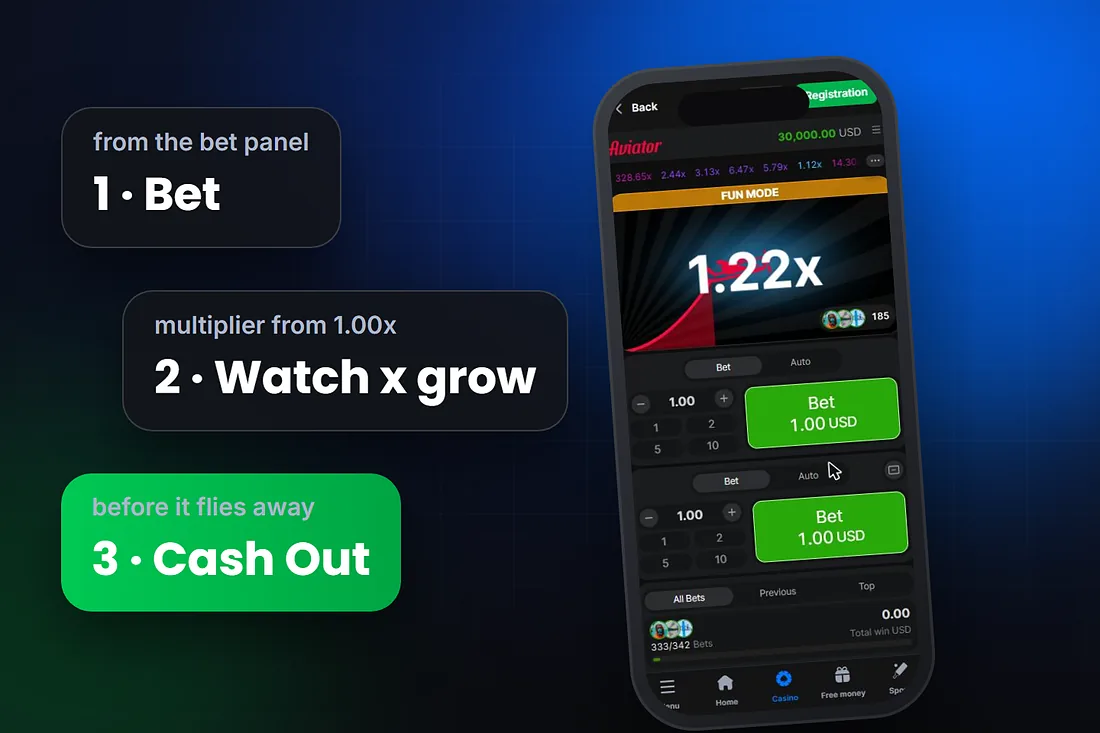
Contents 9 sections
Aviator rules on 1win, step by step
To play Aviator in 1win you need an account with a rupee balance, or the free Demo mode if you only want to learn. The rules below are the same for both; only the balance is different. "Aviator kaise khele?" comes down to these six steps.
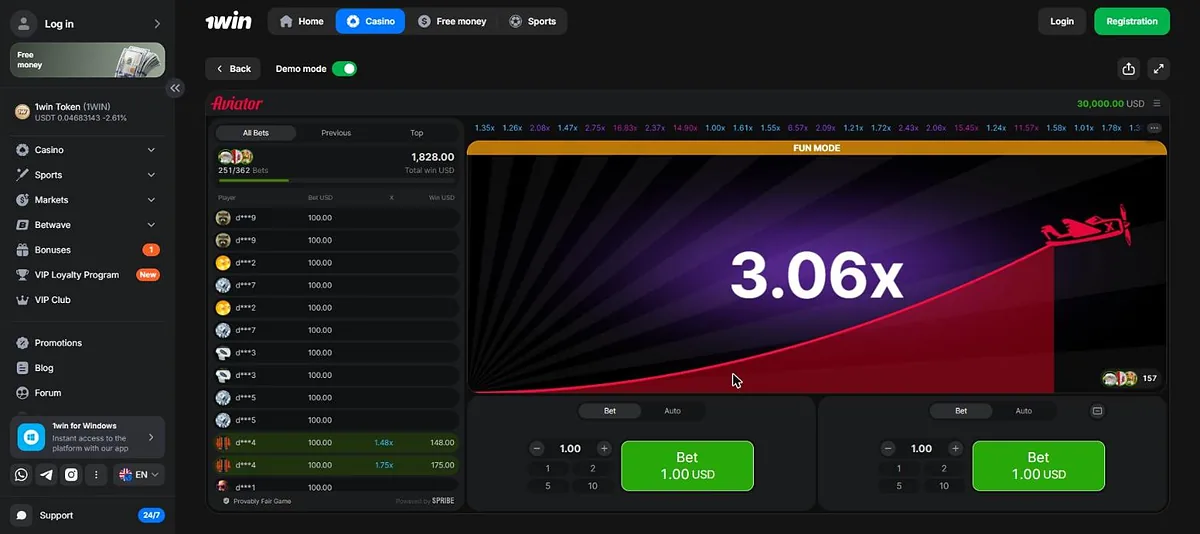
- Open the game. In the 1win casino search for "Aviator" or open Popular, then start the game. Several games with "Aviator" in the name appear in the search; the original is the red SPRIBE tile. It loads inside the 1win page with your balance in the header. For practice, switch on "Demo mode" first.
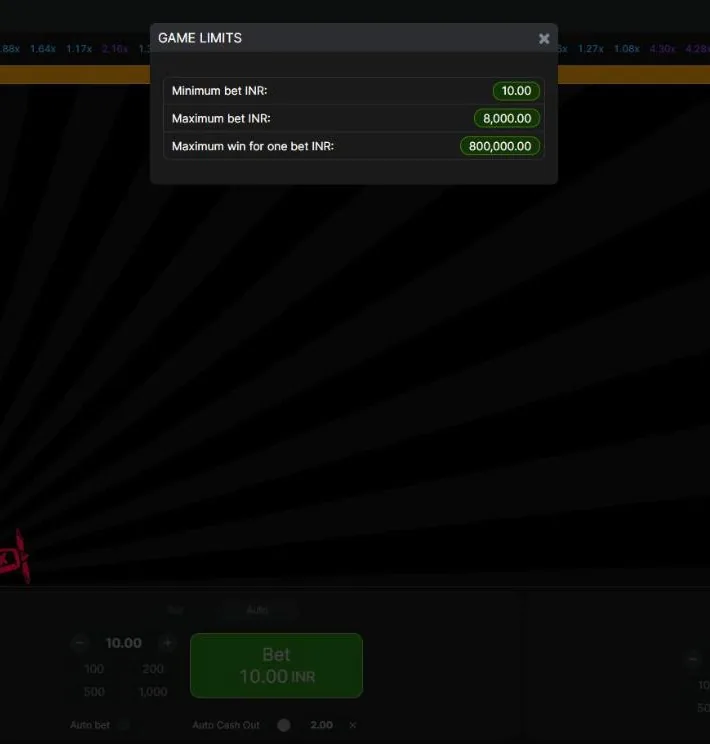
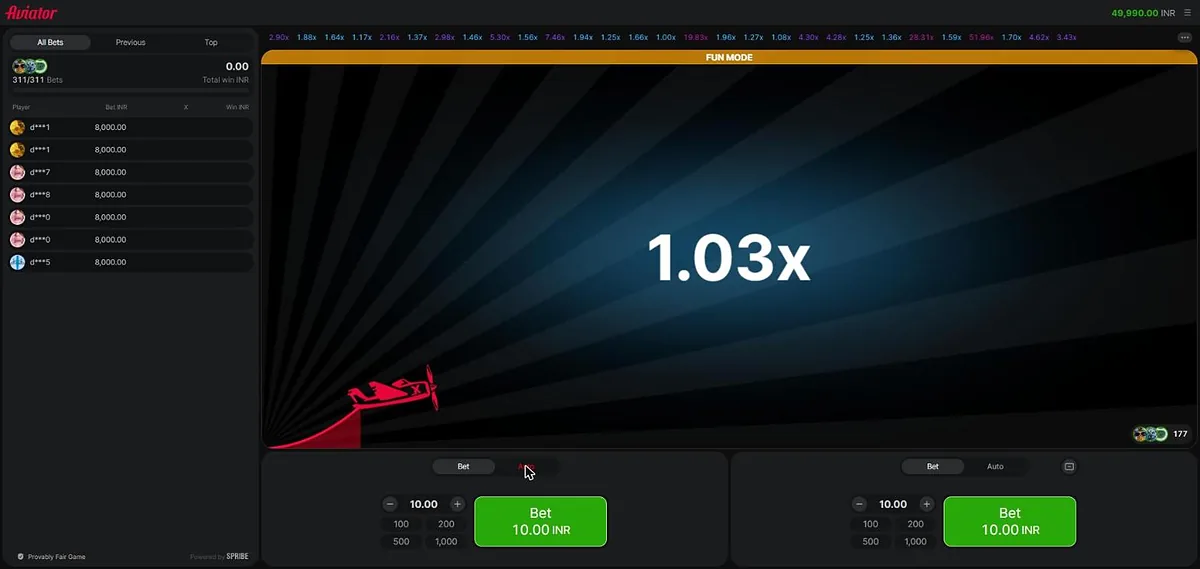
- Set your Aviator bet. Type an amount, use +/− or tap a preset. In the INR demo the panel starts at 10.00 INR, the presets are 100, 200, 500 and 1,000, and the limits are ₹10 to ₹8,000 per panel; your 1win account shows its own limits in Menu → Game Limits.
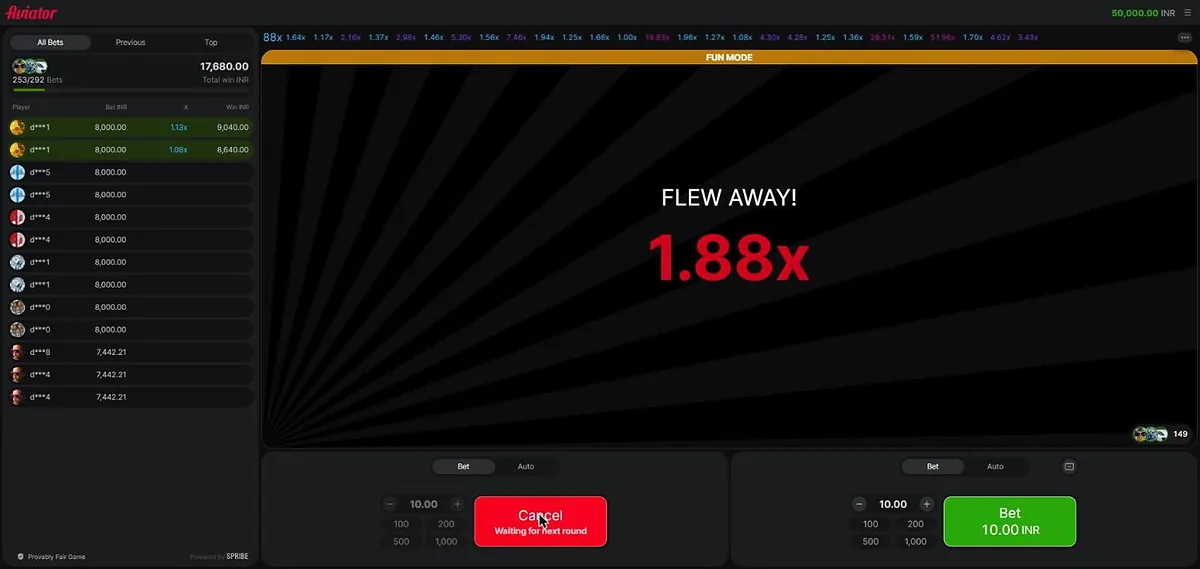
- Press "Bet" before take-off. Bets are accepted in the short window between rounds. If you press Bet while a plane is still flying, the button shows "Cancel — Waiting for next round" and your bet joins the next round.
- Watch the multiplier. The plane takes off and the multiplier climbs from 1.00x. Your Bet button turns into an orange "Cash Out" button showing what you would collect right now, for example "Cash Out 21.20 INR" on a ₹10 bet at 2.12x.
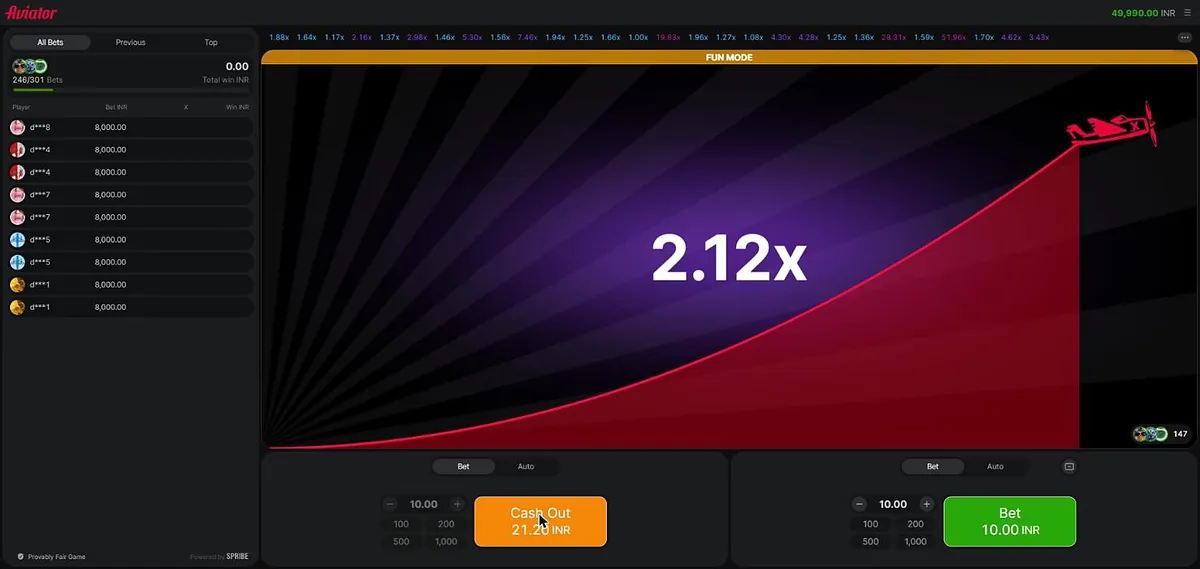
- Press "Cash Out". The win, bet × multiplier at that moment, goes straight to your main balance. The round keeps going for other players, but your result is fixed.
- Or lose the bet if the plane flies away. If you have not cashed out when the round ends, the screen shows "FLEW AWAY!" with the final multiplier and the stake is lost. A new betting window opens a few seconds later.


That is all the rules. Everything else on the screen, the second panel, the Auto tab, the bet lists and the chat, helps you manage those six steps. The official text sits in the menu ☰ under "How To Play" and "Game Rules".
What happens in one round, second by second
A round of Aviator moves through four phases. Knowing what you can and cannot do in each one prevents most beginner errors.
| Phase | What you see | What you can do |
|---|---|---|
| Betting window | Plane waiting on the ground, Bet buttons green | Place, change or cancel bets on one or both panels |
| Take-off and flight | Multiplier rising from 1.00x, Cash Out buttons orange | Cash Out an active bet; a new bet waits for the next round |
| Flew away | "FLEW AWAY!" and the final multiplier | Nothing for this round; uncashed bets are lost |
| Result in history | New value added to the top strip | Click the value to see the round's Provably Fair data |
Two details are worth remembering. A bet placed during the flight can still be cancelled until the next round starts. And if your connection drops while a bet is active, the game cashes it out at the current multiplier and adds the win to your balance; it does not leave the bet hanging.
The final multiplier is fixed before take-off by the provably fair formula, and about 3% of rounds end instantly at 1.00x. How that is calculated and checked is explained in how to verify an Aviator round.
One bet or two bets in the same round
Aviator gives you two bet panels side by side. Each one has its own amount, its own Bet and Cash Out button and its own Auto tab, so the two bets live completely separate lives inside one round.
Playing with one bet
One panel, one decision. This is the right way to start: you watch a single number and a single button, and you learn how quickly 1.50x turns into 2.00x. The second panel can stay closed until pressing Cash Out feels routine.
Playing with two bets
With both panels open you can split the risk inside a round. A common setup on 1win is a larger bet with an early target and a smaller one left to fly. Say ₹200 on panel one cashed at 1.50x and ₹100 on panel two aimed at 10x:
- if the round ends before 1.50x, both bets are lost: −₹300;
- if it passes 1.50x but not 10x, panel one returns ₹300 and the round is break-even;
- if it passes 10x, panel one returns ₹300 and panel two returns ₹1,000: +₹1,000 on ₹300 staked.
Two bets do not improve the odds of the game; they only shape how your results are spread. More set-ups, with their risk in numbers, are in Aviator betting strategies.
Auto bet vs Auto Cash Out
Open the Auto tab on either panel and you will find two different switches. They are often confused, and the difference costs money when it is misunderstood.

| Auto bet | Auto Cash Out | |
|---|---|---|
| What it does | Places the same bet automatically every round | Cashes the bet out when the multiplier reaches your target |
| Setting | On/off for the panel | Target multiplier, for example 2.00 |
| Still need to press Cash Out? | Yes, unless Auto Cash Out is also on | No, it happens at the target |
| Main risk | Bets keep going after you stop watching | The plane can fly away before the target |
| Best use | Together with Auto Cash Out and a stop limit | Removing reaction time and second-guessing |
Never leave Auto bet on without Auto Cash Out. Auto bet alone places a stake every round, and if you look away, every one of those stakes is lost when the plane flies away. Use both together and switch Auto bet off when you leave the screen.
In-game panels: All Bets, Previous, Top, chat and Rain
Around the flight area Aviator shows what other players are doing and what has happened before. None of it predicts the next round, but it helps you follow the game.
All Bets, Previous and Top
The left panel on desktop, or a tab on mobile, has three views. All Bets lists the live bets of the current round, with player names masked like d***1, each stake, the multiplier where it was cashed and the win. Previous shows the same list for the last round. Top collects the biggest wins and the highest multipliers.
The multiplier history strip
The row along the top shows how recent rounds ended: blue below 2x, purple from 2x to 10x, pink from 10x. Click any value to open that round's server seed, client seeds and SHA-512 hash.
Chat and Rain
The in-game chat runs beside the game. From time to time free bets drop into it through the Rain feature; the operator can also award free bets that appear in your account.
The menu ☰
- Sound, Music and Animation toggles;
- Free Bets and My Bet History;
- Game Limits, How To Play and Game Rules;
- Provably Fair Settings.
Playing Aviator on a phone
Many players in India play Aviator on a phone, and the game is built for it. The layout changes slightly, the rules do not.
- Stacked layout. The flight area sits on top, the two bet panels underneath. All Bets, Previous and Top move into tabs below the panels.
- Thumb-sized buttons. The Bet and Cash Out buttons are large enough for a quick tap. Still, a thumb is slower than Auto Cash Out on a fast round.
- Network matters. On mobile data a short drop is common. If it happens mid-flight, an active bet is cashed out at the current multiplier, but you cannot place the next bet until you are back online.
- Fullscreen. Use the fullscreen button on the 1win game page to hide the browser bar and keep the whole round in view.
The 1win app opens Aviator faster than the mobile browser and keeps you logged in. Install steps for Android and iPhone are in installing the 1win app.
Your first five minutes with real money
Before the first real bet, open "Game Limits" to confirm the limits on your account, set the amount to the minimum bet shown there and turn on Auto Cash Out at a modest target such as 1.50x or 2.00x. Play ten rounds like that without touching anything. You will see wins, losses and an instant 1.00x crash or two, and you will learn the rhythm of the betting window before larger amounts are involved.
How often each multiplier is reached
The interactive table below turns any multiplier into the approximate chance that a round gets there, using the formula from the game: about 97% divided by the multiplier.
Read it from top to bottom and the pattern is clear: about 48.5% of rounds reach 2x, about 9.7% reach 10x and about 0.97% reach 100x. Set your Auto Cash Out target with these numbers in front of you rather than the last few results in the history strip.
Common beginner mistakes in Aviator
Most early losses on Aviator come from habits, not from bad luck. These are the most common ones, and each has a simple fix.
- Waiting "one more second". Deciding the target during the flight leads to greed at 1.90x and panic at 1.10x. Fix the target first, ideally with Auto Cash Out.
- Reading the history strip as a signal. Three blue rounds in a row do not make a pink one "due". Every round is independent.
- Raising the bet after a loss. Doubling to win it back can hit the maximum bet (₹8,000 in the INR demo) or your budget within a few rounds.
- Leaving Auto bet running. Without Auto Cash Out it is a steady leak.
- Forgetting the real balance is on. Check whether "Demo mode" is on or off before the first bet of the day.
- Paying for predictors. No app or Telegram channel can know the multiplier in advance; they are scams.
- No stop limit. Decide before playing how much you can lose and when you will stop if you are ahead.
Before risking rupees, play through these habits in the free Aviator demo on 1win. If you do not have an account yet, register on 1win with the promo code 1WCASIN; the full picture of the game, from RTP to payments, is in the 1win Aviator overview. Quick answers on money, the app and safety are collected in the Aviator FAQ. Set limits for yourself with the tools in responsible gaming. 18+.
Questions about playing Aviator on 1win
How to play Aviator in 1win for the first time?
Open Casino, search "Aviator" and start the original SPRIBE game. Set an amount within the limits shown in Game Limits, press "Bet" before take-off and press "Cash Out" while the plane is still flying. Your win is the bet times the multiplier at that moment.
What is the minimum Aviator bet on 1win?
In the SPRIBE INR demo the minimum bet is ₹10 and the maximum is ₹8,000 per panel, with a maximum win of ₹800,000 for one bet. Your 1win account shows its own limits in Menu → Game Limits.
Can I place two bets in one round?
Yes. Aviator has two bet panels, each with its own amount, Cash Out button and Auto tab. You can cash them out at different multipliers within the same round.
What happens if my internet disconnects during a round?
If a bet is active when the connection drops, the game cashes it out automatically at the current multiplier and adds the win to your balance. In case of a malfunction, affected bets are void and refunded.
Is there a trick to win Aviator?
No. Each multiplier is calculated from new seeds and nobody knows it in advance. You can control bet size, target and stop limits, but no trick changes the 97% RTP.
Can we guess the Aviator game?
You can guess, but a guess is all it is. The result depends on client seeds from the first three players who bet in the round, so it cannot be known before those bets are placed.
How does Cash Out work in Aviator?
During the flight your Bet button becomes an orange "Cash Out" button that shows the current payout. Pressing it locks your win at that multiplier and sends it to the main balance immediately. With Auto Cash Out the same happens automatically at your target.
Where do I see my past Aviator bets?
Open the menu ☰ and choose "My Bet History". It lists your bets, the multipliers you cashed out at and the wins.