Aviator demo on 1win: free rounds before real ones
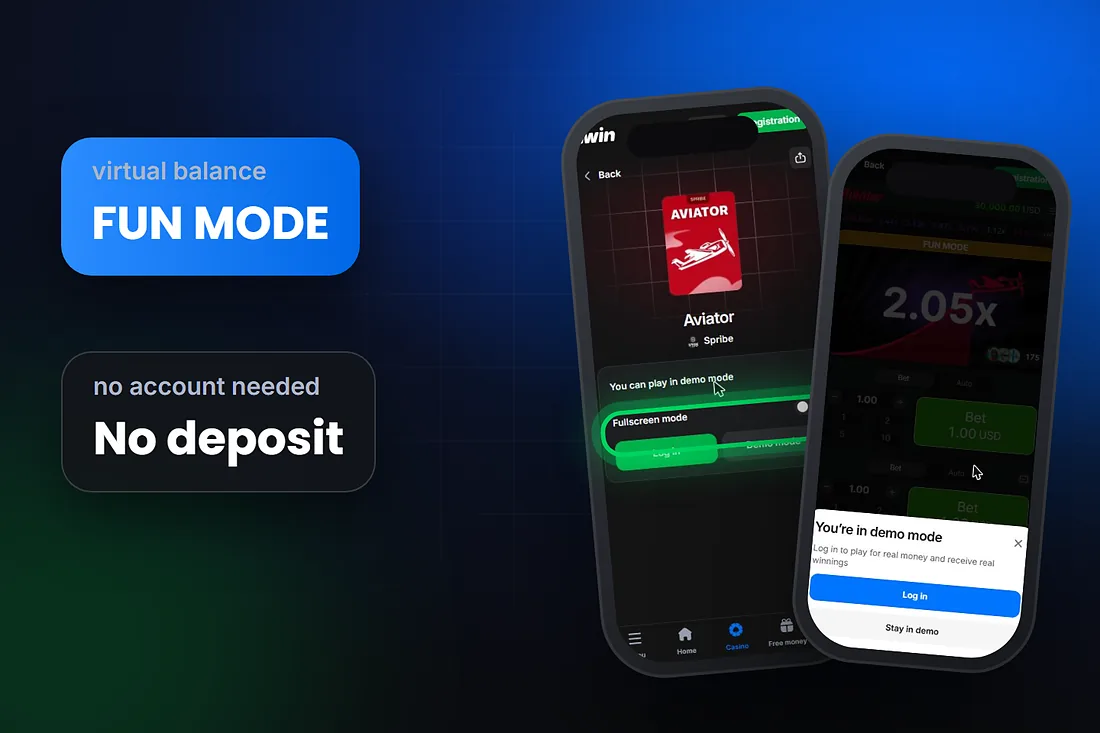
The Aviator demo on 1win is the full SPRIBE game on a virtual balance. Same plane, same maths, same buttons, with nothing at stake until you decide otherwise.
Updated · 18+
Contents 8 sections
Play the Aviator demo now
The Aviator demo below is the official SPRIBE game in rupees. Tap to load it; no account, deposit or download is needed, and every bet comes from a virtual balance.

The demo opens with a "FUN MODE" banner and a virtual balance of ₹50,000. The bet panels, the Auto tab, the history strip, the menu and the Game Limits window all work exactly as in real play, so whatever you learn here carries over one to one.
Demo on the 1win site itself runs in dollars. When you are not logged in, the Demo mode on 1win shows a virtual balance of 30,000 USD with bets from 1.00 USD. The rounds, buttons and maths are the same; only the currency label differs from the rupee demo above.
How to open Demo mode on the 1win site
On 1win itself, the Aviator demo is one toggle away from the real game. It works without logging in, and if you are logged in, it keeps your real balance untouched.
- Go to the 1win casino. Open the 1win site or app and tap "Casino".
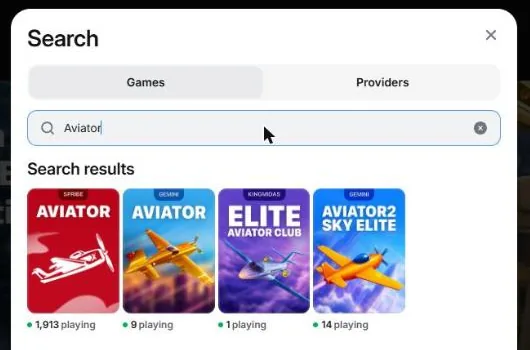
- Find Aviator. Type "Aviator" in the search bar. Several games with "Aviator" in the name appear; the original is the red tile marked SPRIBE, usually with the most players online.
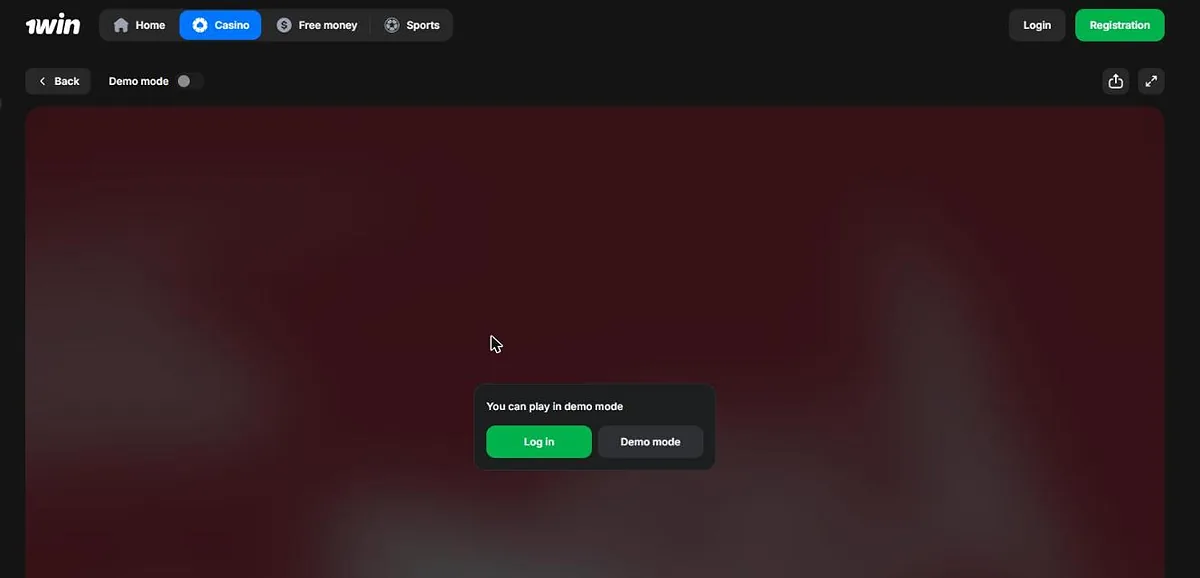
- Choose "Demo mode". If you are not logged in, the game window shows "You can play in demo mode" with two buttons: "Log in" and "Demo mode". Pick "Demo mode", or switch on the toggle above the game.
- Stay in the demo. The game loads with the FUN MODE banner and a virtual balance of 30,000 USD, with bets from 1.00 USD. A pop-up "You're in demo mode" offers "Log in" for real money or "Stay in demo" to keep practising.
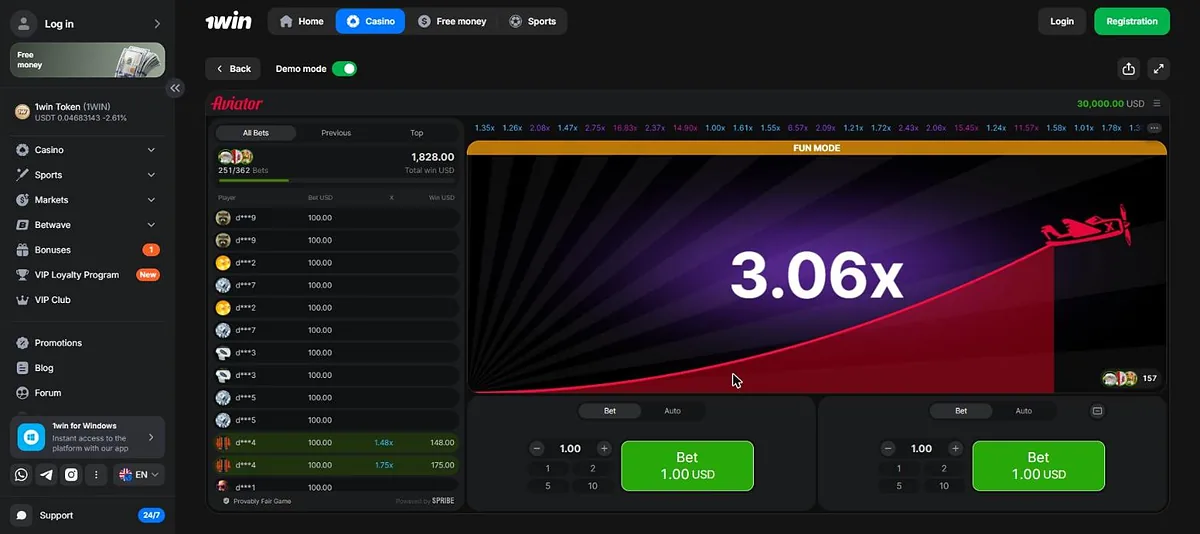
- Place your first free bet. Set an amount, press "Bet" before take-off and press "Cash Out" during the flight. Wins and losses change only the virtual balance.
- Switch back when ready. Turn the toggle off to return to real play. Real bets need a 1win account with an INR balance.


Check the toggle every time you open the game. The demo and the real game look the same apart from the FUN MODE banner, so make it a habit to glance at it before pressing Bet.
Aviator demo vs real money on 1win
The demo is not a simplified version. It uses the same provably fair formula and the same RTP of 97%, so the multipliers you see follow the same distribution. What differs is the money and what happens around it.
| Feature | Demo mode | Real money |
|---|---|---|
| Account needed | No | Yes, with an INR balance |
| Balance | Virtual: ₹50,000 in the SPRIBE INR demo on this site, 30,000 USD in the 1win Demo mode | Your deposited rupees |
| Banner | "FUN MODE" | None |
| Bet limits | INR demo: ₹10 to ₹8,000, max win ₹800,000; 1win demo: bets from 1.00 USD | Shown in Menu → Game Limits for your account |
| RTP and multipliers | 97%, provably fair | 97%, provably fair |
| Two bets and Auto tab | Yes | Yes |
| Winnings | Virtual, cannot be withdrawn | Credited to the main balance, can be withdrawn |
| Welcome bonus and free bets | No | Available under the offer terms |
| The feeling of risk | Almost none | Real, and it changes decisions |
The last row matters most. Pressing Cash Out at 1.50x is easy when the money is virtual. With your own ₹500 on the line, the urge to wait for "just a bit more" is much stronger. Use the demo to make decisions automatic before emotions get involved.
A practice plan for the Aviator demo
Clicking Bet at random teaches very little. Work through these stages in order; each takes 20 to 50 demo rounds.
- Learn the controls. One panel, the minimum bet (₹10 in the INR demo), manual Cash Out. Get used to how fast the multiplier moves from 1.00x to 2.00x and how often a round ends early.
- Watch the instant crashes. Count how many rounds end at 1.00x before anyone can cash out. It is about 3% of rounds, and seeing it happen makes it real.
- Set Auto Cash Out. Turn it on at 2.00x and leave it. Compare your balance with the expected result: about 48.5% of rounds should reach 2x.
- Add the second panel. Put a bigger bet at a low target and a smaller one at a high target, and note how the swings of your balance change.
- Try a staking system. Run Martingale or D'Alembert with a fixed virtual budget and see how fast a losing streak hits the ₹8,000 maximum bet of the INR demo.
- Play a full "real" session. Set a budget, a stop-loss and a target as if it were your money, and stop exactly when one of them is hit.
Stage 5 needs numbers to make sense; the systems are worked through in rupees in Martingale, D'Alembert and other Aviator strategies. The rules behind each button are in how to play Aviator in 1win.
What to look at on the demo screen
Free rounds are the best moment to study the parts of the screen that seem confusing at first. With no money at risk you can stop between rounds and open every window.
The history strip
Watch the colours for a while: blue for rounds under 2x, purple for 2x to 10x, pink for 10x and above. Blue appears in roughly half of the rounds, pink in roughly one in ten. Long runs of one colour happen by chance and then break by chance.
A round's Provably Fair window
Click any value in the strip. The window shows the server seed, the three client seeds, the SHA-512 hash and the result. This is the same data a player uses to confirm that a real round, such as 12440911 at 28.31x, was not changed after the bets. How to check it yourself is explained in is 1win Aviator real or fake.
Game Limits and Game Rules
Open the menu ☰. Game Limits shows the minimum bet of ₹10, the maximum of ₹8,000 and the maximum win of ₹800,000 in the INR demo. Game Rules explains what happens on a disconnection: an active bet is cashed out at the current multiplier.
Your own bet history
"My Bet History" in the menu lists every bet you placed, so after a practice session you can see exactly where your targets paid and where the plane flew away first.
Simulate hundreds of rounds in seconds
A demo session shows you a few dozen rounds. The simulator below uses the provably fair formula to generate as many rounds as you like, draws a histogram of the multipliers and shows what share of rounds went above your target.
Run it a few times with the same target. The share above 2x will hover around 48.5%, but short runs can be far from that, which is exactly what a real session feels like. No run will show a repeating pattern, because there is none to find.
Moving from the demo to real play
The demo has done its job when your decisions are automatic: you know your target before take-off, you cash out without hesitation and you stop when your limit is hit. Before switching the toggle off, check off this list:
- You have a 1win account in INR. If not, sign up on 1win and add the promo code 1WCASIN in the registration form.
- You know how much you are ready to lose today, and that amount is money you can afford to lose.
- Your real bet is a small share of that budget, for example ₹10 to ₹50 at first.
- Auto Cash Out is set to the target you practised.
- You have read how the welcome bonus is wagered, so you know which balance your bets come from.
The demo cannot teach one thing: how losing real money feels. Start with the minimum bet for the first real session, even if the demo went well. Results in free play do not predict results with money, because every round is independent. 18+.
Aviator demo FAQ
Is the 1win Aviator demo free?
Yes. Switch on the "Demo mode" toggle on the Aviator game page. You play with a virtual balance (30,000 USD on the 1win site when logged out), and no deposit or login is needed.
Why is the 1win demo in dollars and the demo here in rupees?
The demo embedded on this site is the SPRIBE INR version with ₹50,000 of virtual money. The Demo mode on the 1win site, when you are not logged in, uses a virtual 30,000 USD balance with bets from 1.00 USD. The game and the maths are the same in both.
Is the Aviator demo the same as the real game?
The game, the maths and the controls are the same: RTP 97%, provably fair results, two bets and the Auto tab. The difference is that demo wins are virtual and cannot be withdrawn.
Can I win real money in Aviator demo mode?
No. Demo mode uses a virtual balance shown with a FUN MODE banner. To win real money you need a 1win account with an INR balance.
Do I need to download anything for the Aviator demo?
No. The demo runs in the browser on the 1win site and in the 1win app. Avoid "Aviator demo APK" files from other sources; they are not official.
Does a good demo result mean I will win with real money?
No. Every round is independent, so a profitable demo session says nothing about the next one. The demo is for learning the controls and testing bet sizes, not for predicting results.
Can I play the Aviator demo in the 1win app?
Yes. Aviator runs inside the 1win app for Android, the iPhone web app and 1win for Windows, and the "Demo mode" toggle sits on the same game page. Switch it off when you want to play with your real balance.
Why does my demo balance look different from other players' wins in All Bets?
All Bets shows other players' stakes and cash-outs in the same round, and their bet sizes and targets differ from yours. A big win in the list is one player's result for one round, not a sign of what the next round will bring.